
DDR Recovery Software- Windows NTFS ( Data Doctor Recovery Software for NTFS )
Data Doctor Recovery Windows NTFS recovers your important data lost accidentally due to formatted HDD, virus/worm infection, software malfunctioning, unexpected shutdown, improper usage of hard drive etc.
Use high performance and sophisticated NTFS File and Folder Rescue Software to recover content saved in different file formats including documents (doc, txt, pdf, ppt, html etc), pictures (jpeg, jpg, gif), audio & video files (mpeg, mp3, mov, wav, avi etc) and more from fixed drive based on self healing NTFS, NTFS5 file system.


General Features:
- Fast Recovery of accidently lost data.
- Support for localized and long file names.
NTFS Data rescue Package helps you in following kind of data loss situations:
- Files and directories being emptied from Recycle bin or deleted permanently using Shift+Del Keys.
- Missing or lost logical drives (volumes).
- Formatted HDD (even after reinstalling OS).
- Re-partitioned hard drives (even after file system has been changed).
- Lost files and folders.
- Files infected due to virus/worm attack, software malfunctioning, accidental deletion etc.
- Human error or improper usage of drives.
- Unexpected system shutdown.
Key Features of Software:
- File System Support: NTFS, NTFS5 file systems.
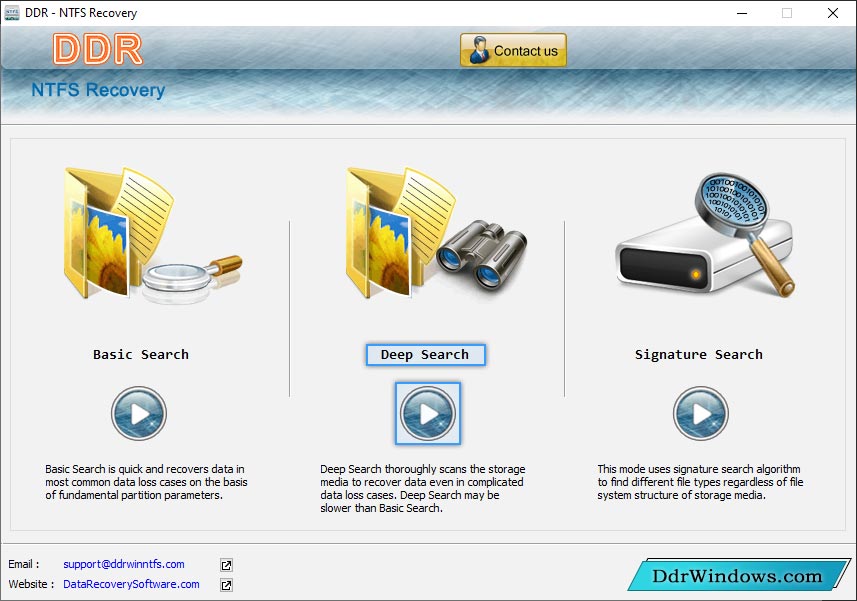
- Searching Support: Advance Search and Standard Search.
- User Friendly & GUI Support: Easy to understand and step by step guidelines including GUI (Graphical User interface) interface.
- Log Support: Save Scanning in between the recovery processing.
- Non Destructive and read only utility.


